
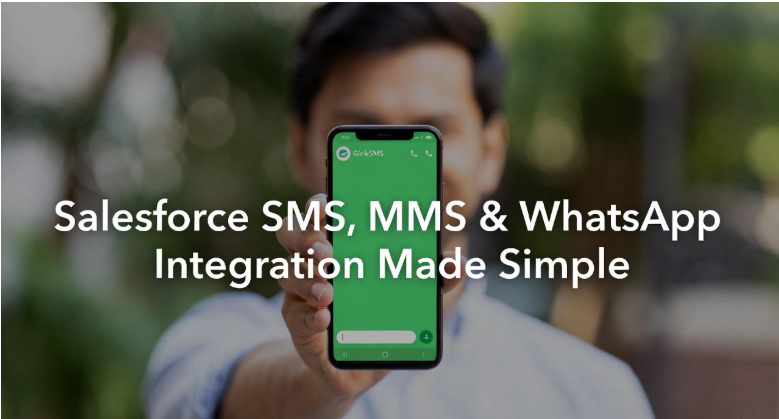
Ever feel like business communication is spinning plates? There’s email flying around, group chats dinging, customers texting, someone sharing stuff on WhatsApp—and if you’re juggling ten things already, it just piles up. Salesforce SMS with GirikSMS jumps in here, aiming to smooth things out and take some of that daily scramble off your plate.
You can’t really deny how different things look now compared to just a few years back. What used to work (emails, mostly) tends to drag out or gets swamped in someone’s crowded inbox. Now it’s about five-second replies, updates as things happen, and keeping customers close enough they don’t wonder, “Are they even there?”. A lot of companies miss out on just how effective SMS for Salesforce can be—it’s honestly still one of those tools with outsized impact for how simple it is to set up.
One Inbox Inside Salesforce – Not 5 Separate Apps
If you’re tired of jumping from your CRM to your phone to WhatsApp, GirikSMS does something clever. It clumps all those bits together—so you don’t have to wonder where the last message went. Check your Salesforce dashboard and, right away, there it is: send texts, fire off a pic, answer on WhatsApp, all from the same spot. It’s the kind of fix that makes you stop and go, huh, why didn’t anyone do this before?
Why SMS Still Beats Email (And Why It Belongs in Salesforce)
Even though texting might not feel modern, it’s still king. People spot texts instantly, much quicker than some lost email. If the goal is having folks see what’s important, SMS wins every time. Keeping those texts glued to your CRM means nothing falls through the cracks, either.
A bunch of companies already use Salesforce. Most never realized they could ramp up customer connections just by adding a texting tool. You can dash out a quick note when you want or set up messages that go out on their own when something happens.
Automated Messages That Feel Personal
Picture this: someone signs up for a product demo, and a “Hey, thanks! Here’s your meeting info” message pops over automatically. Same goes for payment reminders or order updates—no need for manual chasing.
Sales teams honestly breathe easier with this. You’re not getting lost in random accounts or tabs, copying and pasting phone numbers, or hoping you remembered where a conversation happened. It’s right in one place, and people see replies when they come in. No more fifteen-minute hunts for a single update.
Use MMS to Make Messages Actually Useful
What about visuals? Sometimes, let’s face it, a picture does more than a whole paragraph. GirikSMS knows this, so you can share images, PDFs, or quick how-to videos straight out of your CRM. A photo of a product, a snap of a quick recipe, even a video walkthrough if someone’s stuck—just tap, attach, and go. People respond to visuals; it’s way better than a text wall.
WhatsApp Inside Salesforce: No More Scattered Chats
WhatsApp’s a big deal too, especially if your crowd likes chatting there. Most of us barely open new apps, but WhatsApp? That’s always on. Now, you can bring WhatsApp right into your Salesforce world. Personal chats, group news, urgent updates—it’s inside the CRM, not floating off somewhere. And the program keeps track. Every message, every reply—filed under the right contact or lead, so there’s zero confusion later.
Imagine a teammate picking up where you left off. They open the customer’s profile and boom, all your notes, texts, pictures, and WhatsApp chats are side by side. No more “Who sent that update?” or searching last week’s thread. It’s all there, making work easier for big teams and small ones alike.
Other tools try to keep things shiny and new but end up piling on extra steps. GirikSMS doesn’t bother with that. What you get is a chat box you already know how to use. Type, send, move on. Nothing mysterious, nothing hidden behind four screens.
Salesforce SMS Integration with GirikSMS
For the day-to-day, templates save every worker out there. You set up your welcome message once, maybe a “Thanks for booking with us!” pop-up, even the classic meeting reminder. Tweak it each time to sound more like you, drop in a name or the date so it’s not just another bot—then let it go. You want someone to check in after things go quiet? Easy, set that up without needing to remember, or use rules for stuff like birthdays or “Thanks for your purchase.” It sorts of hums along in the background without pestering you for every detail.
Perfect for Healthcare, Retail, Education & Service Teams
Let’s get into the nitty-gritty. In a clinic, maybe the front desk sends out a text for appointments, attaches a prescription as a PDF, or fires off a quick WhatsApp if the doctor is running late. Everything lands in the patient’s Salesforce record—no sticky notes, no missing messages. For shops online, here’s how it shakes out: a customer hits “buy,” and almost immediately, there’s a text confirming the order. Then, when things ship, a WhatsApp message goes out (tracking link and all), and if there’s some sort of delay, the customer tends to hear about it before they even get a chance to ask.
Schools, training centres, same deal. Schedule reminders, payment notices, WhatsApp groups for the latest updates. All quick, all at their fingertips, and the admin team sleeps easier knowing nobody got left out.
Privacy & Compliance Built In
Sometimes it’s the smaller stuff that really makes you stick with a tool. No more wondering “who missed what.” You manage texts, images, and WhatsApp replies inside one main screen, so everything gets tracked for later. Check to see if your message went through, who’s engaging, even little pop-up alerts whenever someone fires off a reply. Send something to one person or a group, and the program steers clear of sending the same thing twice by mistake.
Keeping it all inside Salesforce also means you’re on top of privacy rules. Opt-outs, restrictions, permissions—it’s all baked in. Nobody’s getting spammed, and only the right staff can open or reply to sensitive messages. If you’re in healthcare or finance, that matters a lot.
Analytics That Show What’s Working (and What Isn’t)
From the boss’s chair, reporting is a lifesaver too. Want to check your numbers—how many texts went out, how folks replied, what kind of message gets people talking? Just open the dashboard and the whole stories there. Over time, patterns stand out—maybe those quick texts in the morning grab more attention, or WhatsApp works wonders for reaching the younger set. If one kind of message never lands, you just swap it out and try something new. Finally, there’s some trial and error that teaches you something useful.
The Real Advantage of GirikSMS
What really makes GirikSMS stand out (and maybe this is the real win) is that nothing gets too stiff. Even with automations and templates, you’re nudged to personalize, to say a name or toss in a real closing. So, it doesn’t become a cold string of robot responses, and the customer feels noticed.
For folks who live in Salesforce, this tool fills that “why isn’t this easier?” gap. No headaches, no learning curve, nothing fancy—just a real solution that keeps teams and clients on the same wavelength. All those minutes wasted on hunting down old messages, retyping reminders, bouncing to another platform? Gone. You can focus on helping people, selling smarter, and solving problems instead.
The heart of it all: connecting people. Customers get updates their way, answers come quick, and your team doesn’t lose touch. The whole thing runs smoother, and work doesn’t feel like a juggling act anymore.
A CRM That Communicates Just Like Your Customers
In the end, GirikSMS turns Salesforce from just another CRM into a messaging nerve centre. It’s straightforward, without showing off. You see your texts, images, and WhatsApp chats together, set up follow-ups, check reports, and keep conversations feeling alive (not just ticking boxes). For most folks, it’s become the sort of tool you use every day, without ever wanting to go back.
Business chat doesn’t need to be complicated. Really, it’s about finding that setup that lets people talk the way they want—and make it all land in one place, for everyone’s peace of mind.

Technical Editor & Co-Director at Samaritan InfoTech, Award-Winning Author, Environmentalist, and Activist. Social Media Specialist at Doctors without Borders. Engaged with Samaritan InfoTech from April 2020.




New Member Introduction – Happy to Join the Community
Informationbreach – Know If Your Data Is Already Leaked
Massive data breaches happen every day. Check if your email, credit info, or personal data appears in leaked or hacked databases.
Scan 33B+ leaked passwords and 50M new breach records daily to detect exposure instantly.
Get breach alerts, see if your accounts are in credit card leaks, email breaches, or hacked dumps — all in one click.
Protect yourself from identity theft for just $2 — your breach awareness shield starts now.
Check Your Exposure Now: [url=https://informationbreach.net] Google check data breach[/url]
|